Free AI Tools to Turn Raw Footage into Scroll-Stopping Social Posts (2026)
SnapReel
September 11, 2026 · 7 min read
Table of Contents
- 1.
- 2.
- 3.
- 4.
- 5.
- 6.
- 7.
Free AI Tools to Turn Raw Footage into Scroll-Stopping Social Posts (2026 Edition)
Last updated: September 2026
If you've typed "AI social media post generator free" into Google in the last few months, you already know the problem: most tools that show up either generate generic caption text, or they're built for static graphic design (think Canva-style templates) — not for the thing creators and small brands actually struggle with, which is turning raw video footage into a finished, post-ready reel.
That gap is exactly where this guide lives. We'll walk through what "free AI social media post generator" tools can realistically do for you in 2026, where most of them fall short if your content is video-first, and where a tool like SnapReel fits into the workflow differently than a Canva or a Buffer.
What People Actually Mean by "AI Social Media Post Generator"
Search intent around this phrase splits into three distinct buckets, and mixing them up is why so many "best free AI tools" roundups feel unhelpful:
Caption and copy generators — you give a prompt, you get text for a post.
Static graphic generators — templates, image + text layouts, carousel designs.
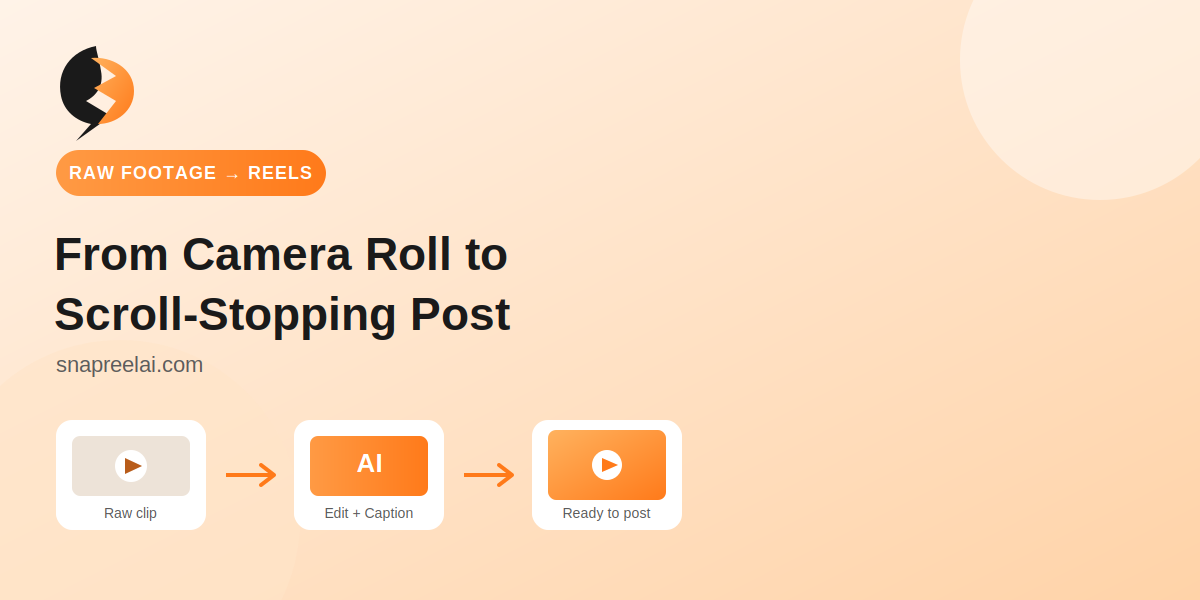
Video-to-post generators — you give it a raw clip (a talking-head video, a product demo, footage from your phone) and it edits, captions, and formats it into a reel or short.
Most "free" tools ranking today (Canva, Buffer, Simplified, Predis) are strongest in buckets one and two. If your content is already video — which is where the overwhelming majority of organic reach on Instagram, TikTok, and YouTube Shorts currently comes from — you need a tool built for bucket three.
Why This Matters More in 2026 Than It Did a Year Ago
Short-form video hasn't just stayed popular — algorithms across Meta, TikTok, and even LinkedIn have continued shifting distribution weight toward video completion rate and watch time rather than static engagement. A well-designed graphic can still get likes. It rarely gets the same reach a well-edited 20-second clip gets today.
That shift changes what "AI social media post generator" should mean for most people asking the question in 2026: not "help me design a post," but "help me turn the footage I already have into something worth posting."
Comparing the Popular Free Options
Here's an honest breakdown, not a ranking designed to make one tool look artificially better.
Tool
Best for
Free plan limits
Video editing built-in?
Canva
Static graphics, carousels, templates
Generous templates, limited AI credits
Basic trimming only
Buffer
Scheduling + light AI caption assist
Free tier caps connected accounts
No
Adobe Express
Quick graphic + short video templates
Watermarked exports on free tier
Template-based only
Predis AI
Bulk caption + hashtag generation
Limited monthly generations
Minimal
SnapReel
Turning raw video into edited, captioned reels
Free tier for getting started
Yes — this is the core function
The honest takeaway: if you need a poster, a carousel, or a caption, the established tools above do that job well and there's no reason to switch. If your bottleneck is "I have footage sitting in my camera roll and no time to edit it into something postable," that's a different problem, and it's the one SnapReel is built around.
How a Video-First Workflow Actually Looks
For creators and small teams, the realistic weekly workflow isn't "design five posts from scratch." It's closer to:
Record a handful of clips during the week (product shots, behind-the-scenes, talking-head updates)
Feed the raw footage into a tool that trims, captions, and formats it per platform
Adjust tone or add a hook line
Schedule or publish
This is where a lot of the "free AI social media post generator" searches are actually coming from — people who tried a text-only generator, realized it didn't solve their real bottleneck, and are now looking one step further upstream. If that's you, see how SnapReel handles the video-to-post step before you commit to a text-only tool that won't touch your footage.
What to Actually Check Before Picking a Free Tool
A few practical filters, based on where people commonly get burned by "free" AI generators:
Watermarks on export — many free tiers only remove watermarks on paid plans; check before you build a workflow around one.
Platform-specific formatting — a 9:16 export for TikTok isn't automatically right for LinkedIn or a square Instagram grid post; look for tools that handle aspect ratio and safe zones automatically.
Caption accuracy — auto-captioning quality varies a lot between tools; test with your actual accent/audio before trusting it for a real launch.
Monthly generation caps — "free" usually means free up to a limit, not unlimited; know the cap before you rely on it for a content calendar.
If you're specifically evaluating tools for a content calendar rather than one-off posts, our guide to building a monthly content calendar with AI walks through how to structure that without hitting free-tier caps mid-month.
Where SnapReel Fits
SnapReel isn't trying to replace Canva for someone who needs a static graphic, and it isn't a bulk caption generator. It's built for the specific step most "AI social media post generator" tools skip: taking footage you've already shot and turning it into a finished, platform-ready reel — trimmed, captioned, and formatted — without manual editing software.
If your current workflow is "record footage, then spend an hour in an editor before it's postable," that's the gap worth testing a purpose-built tool against. You can try SnapReel's video-to-post generator directly on a clip you already have and see the output before deciding whether it replaces a step in your current process.
Turning Raw Footage into Posts Without Starting From Scratch Every Time
Here's the part nobody tells you when you're staring at a camera roll full of unedited clips: the footage itself usually isn't the problem. Most people have plenty of raw material — what they don't have is the hour (or three) it takes to trim it, add captions, resize it for whatever platform they're posting to, and make it look intentional instead of thrown together.
This is really what pushes people toward searching for a free AI social media post generator in the first place. Not because they want a robot writing their captions, but because the editing step is the actual bottleneck.
A few things worth knowing if you're evaluating tools for this:
"No sign-up required" is rare for video, common for text. A caption generator can often run without an account because it's just calling a language model. Anything that processes and renders video usually needs an account, since exporting a file takes real server time — that's a fair trade-off, not a red flag.
"For business" versions usually mean batch output, not better quality. If a tool markets itself as built for business use, check whether that just means higher monthly limits, or whether it actually changes anything about editing quality.
Image support and video support are not the same feature. A lot of tools that generate images well still handle video clumsily — auto-cropping badly, ignoring safe zones, or captioning without syncing to speech. If your content is mostly video, test that specifically before committing.
Scheduling is a separate job from editing. A generator-plus-scheduler combo is convenient, but it's worth checking whether the editing quality holds up on its own before you factor in the scheduling as a bonus.
None of this means you need five different tools stitched together. It just means it's worth being specific about what you're actually trying to fix — a blank caption box, a plain graphic, or a folder of unedited clips — before picking whichever tool ranks first on a "best free AI tools" list.
Looking for the text side of your content strategy too? Check out our post on writing hooks that stop the scroll to pair with your next SnapReel export.