How to Use Instagram Insights to Grow Your Small Brand in 2026
SnapReel
June 17, 2026 · 15 min read

Table of Contents
- 1.
- 2.
- 3.
- 4.
- 5.
- 6.
- 7.
How to Use Instagram Insights to Grow Your Small Brand in 2026 [Complete Guide]
Instagram Insights gives you access to the same data that agencies charge thousands to analyze. Yet 73% of small brand owners never open it, according to a 2025 Sprout Social survey. That is free growth intelligence sitting unused.
The problem is not that the data is hidden. The problem is that Instagram serves you 47 different metrics without telling you which ones actually matter for a small product brand. You end up checking follower count, feeling either good or bad about it, and then going back to posting without any real strategy change.
This guide shows you exactly which Instagram Insights metrics drive growth for small product brands in 2026, how to read them without a marketing degree, and how to turn that data into content decisions that get results. By the end, you will have a repeatable system for using your analytics to grow.
🎯 KEY TAKEAWAYS
- Only 5 metrics matter — for small product brands, focus on reach rate, saves, shares, profile visits, and website clicks. Everything else is noise until you hit 10K followers.
- Check Insights weekly — daily checking creates anxiety without actionable data. Weekly patterns show what actually works.
- Saves beat likes — the Instagram algorithm in 2026 weights saves 3x higher than likes for distribution. Optimize for saves, not vanity metrics.
- Reels data matters most — 91% of Instagram's reach for small brands now comes from Reels. Your static post metrics matter less each month.
Where to Find Instagram Insights in 2026
Instagram Insights is only available on Professional accounts. If you are still running a personal account for your brand, you are missing data that could double your growth rate. Switching takes 30 seconds and costs nothing.
To access Insights, open your Instagram profile and tap the hamburger menu in the top right corner. Select Insights from the menu. You will see three main tabs: Overview, Content You Shared, and Audience.
What is the difference between a Business account and a Creator account for Insights?
Both account types give you access to Instagram Insights with nearly identical data. Business accounts show a contact button and industry category. Creator accounts show a "creator" label and have slightly different inbox filtering. For small product brands, Business accounts make more sense because they include shopping features and let you run product tags.
Here is where most small brands go wrong:
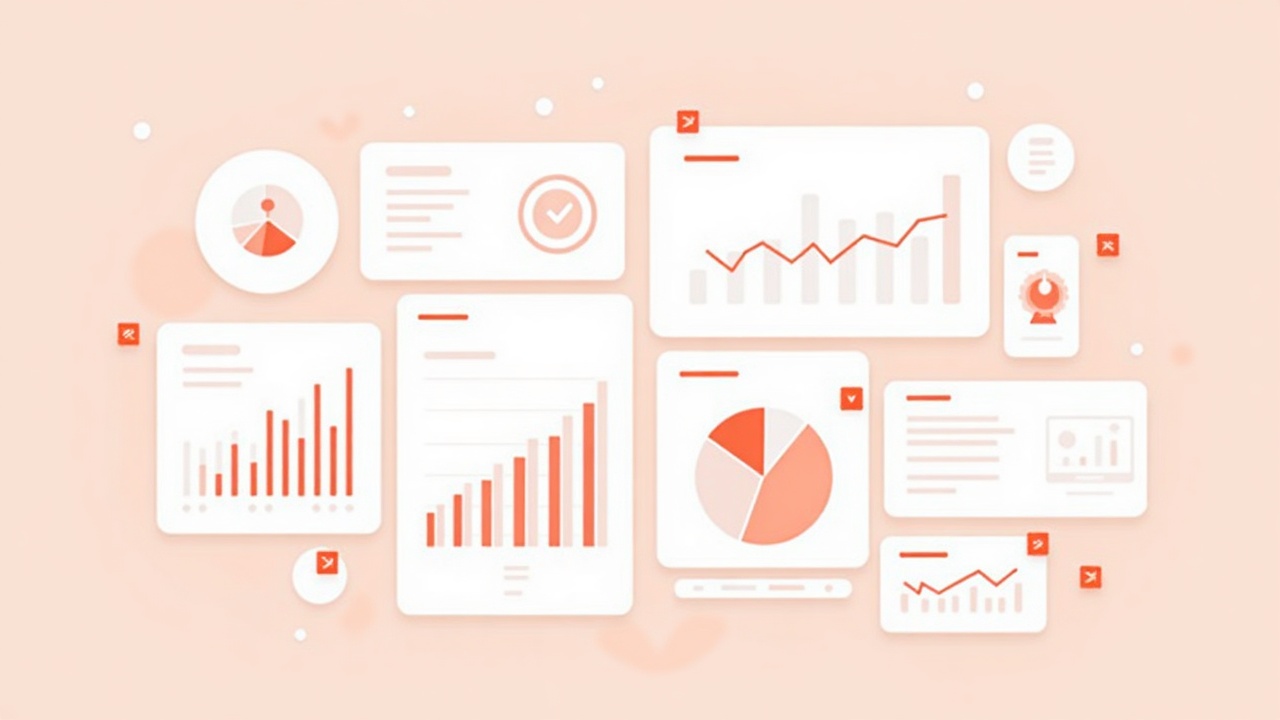
They open Insights, see a wall of numbers, feel overwhelmed, and close the app. The interface shows you everything at once without prioritizing what matters for your specific situation.
- Overview tab — shows high-level metrics for the past 7, 14, 30, or 90 days. Start here for weekly check-ins.
- Content You Shared — breaks down performance by individual post, Reel, Story, or Live. Use this to find your top performers.
- Audience tab — shows demographics, active times, and follower growth. Check this monthly, not weekly.
💡 PRO TIP: Set a recurring calendar reminder for every Monday morning to check Insights. Consistency matters more than frequency. Ten minutes every Monday beats random daily checking that leads to reactive posting decisions.
The Only 5 Metrics Small Brands Need to Track
Instagram shows you dozens of metrics because the platform serves everyone from billion-dollar brands to hobby photographers. Most of those metrics do not apply to a small product brand trying to grow.
Here are the five metrics that actually predict growth for small brands in 2026:
Why is reach rate more important than follower count?
Reach rate measures what percentage of your followers actually see your content. A brand with 1,000 followers and 40% reach rate gets 400 eyeballs per post. A brand with 10,000 followers and 5% reach rate gets 500 eyeballs. The larger account barely outperforms the smaller one despite having 10x the followers. Reach rate shows content quality.
Now you might be wondering: what is a good reach rate in 2026?
- Reels reach rate — 50% to 150% of followers is healthy. Above 200% means the algorithm is pushing your content to non-followers. Below 30% signals a problem.
- Feed post reach rate — 15% to 30% is normal. Static posts get crushed in 2026 distribution.
- Story reach rate — 5% to 15% is typical. Stories primarily reach existing followers, not new audiences.
📊 STAT: According to Later's 2026 Instagram Report, the average Reel from accounts under 10K followers reaches 83% of their follower count plus an additional 47% in non-follower reach. Static posts from the same accounts reach only 11% of followers with minimal non-follower distribution.
Why do saves matter more than likes in 2026?
Instagram's algorithm uses saves as a primary signal for content quality. When someone saves your post, they are telling Instagram this content has lasting value worth returning to. The platform interprets saves as stronger intent than likes, which require almost zero effort.
The truth is: one save is worth approximately three likes in algorithmic weight.
- Saves on product posts — indicate purchase intent. Track which products get saved most.
- Saves on educational content — signal that your expertise is valuable. Double down on saved topics.
- Saves on Reels — predict that the algorithm will push the Reel to more non-followers.
Want your Instagram to grow while you focus on your product?
Create AI-powered videos and auto-post to all your platforms.
SnapReel AI analyzes what works for your brand and automatically creates and posts Reels optimized for saves and shares. Zero daily input required after setup.
No credit card required • 2-min setup • 2,000+ small brands already using it
How do shares and sends indicate viral potential?
Shares are the highest-intent action a user can take on Instagram. When someone shares your Reel to their Story or sends it via DM, they are using their own social capital to amplify your content. Instagram rewards this heavily.
Content that gets shared typically has one of three qualities:
- Relatable frustration — "So true" content that people share to express their own feelings
- Useful information — tips, tutorials, or hacks that help someone the sharer knows
- Social proof — product reveals or results that make the sharer look good for discovering it
For small product brands, the most shareable content combines product demonstration with genuine usefulness.
Why are profile visits a leading indicator of sales?
Profile visits happen after someone watches your content and wants to learn more. This is the bridge between content engagement and actual business results. High profile visits with low website clicks means your bio or profile is not converting. High saves but low profile visits means your content is valuable but not creating brand curiosity.
⚠️ WARNING: Do not obsess over profile visits alone. A viral Reel can send thousands of profile visits that do not convert because the viewers are not your target customer. Profile visits only matter when they come from the right audience and lead to website clicks or follows.
Where do website clicks fit into your Insights strategy?
Website clicks are the bottom of your Instagram funnel. This metric directly connects your content efforts to potential revenue. Track website clicks alongside profile visits to calculate your profile-to-website conversion rate.
A healthy profile-to-click rate for product brands is 3% to 8%. Below 3% means your bio or link strategy needs work. Above 8% means your audience is highly purchase-intent.
How to Read Your Audience Insights
Audience Insights tell you who is actually following you, not who you think should be following you. Many small brand owners are surprised when they check this data for the first time.
What do Instagram demographics reveal about your brand?
Demographics include age ranges, gender split, and top locations of your followers. This data should roughly match your target customer profile. If you sell skincare for women aged 25-40 but your audience is 60% men aged 18-24, your content is attracting the wrong people.
Here is where it gets interesting:
Demographics shift as your content strategy changes. A founder who starts making Reels about entrepreneurship will attract different followers than one making Reels about their product. Check demographics monthly to ensure you are building the right audience.
- Age misalignment — often means your visual style or music choices appeal to a different generation
- Gender misalignment — often means your content topics or hooks speak to different interests
- Location misalignment — often means language, shipping, or cultural references are off-target
When are your followers most active on Instagram?
Instagram shows you which hours and days your specific audience is online. This data is unique to your followers. Generic advice like "post at 9am" is useless because every audience has different patterns.
For Reels specifically, posting time matters less than it did for feed posts. The algorithm distributes Reels over days, not hours. But Stories and feed posts still benefit from hitting peak active times.
💡 PRO TIP: Your best posting time is usually 30 minutes before your audience's peak active hour. This gives the initial engagement signal time to build before the majority of your audience comes online.
Using Content Insights to Plan What to Post
Content Insights show you exactly what has worked and what has flopped. This is your roadmap for future content decisions. Yet most small brand owners never analyze their past performance systematically.
How do you identify your top-performing content?
Go to Content You Shared and filter by Reels over the last 90 days. Sort by Reach first, then look at the same list sorted by Saves. Your best content appears high on both lists. Content that ranks high in reach but low in saves went viral but did not resonate deeply.

What does that mean for your brand?
- High reach, high saves — this is your winning format. Make more content with similar structure, topic, or hook style.
- High reach, low saves — entertaining but not valuable. Fine for brand awareness, not for building purchase intent.
- Low reach, high saves — valuable to those who saw it, but the algorithm did not distribute it. Test different hooks on the same content.
- Low reach, low saves — did not work. Learn what you can and move on.
📊 STAT: Brands that review their top 10 performing posts monthly and create "sequel" content based on winners see 34% higher average reach than brands that post without analyzing past performance, according to Hootsuite's 2025 Social Trends Report.
What patterns should you look for in your Reels performance?
Look beyond individual posts to find patterns across your top performers. Common patterns include hook type, video length, music choice, topic category, and posting day.
But here is the problem:
Pattern analysis takes time. Most small brand owners do not have hours to spend comparing metrics across dozens of Reels. They need a simpler system.
- Weekly pattern check — identify your single best performer each week. Note one thing that made it work.
- Monthly pattern review — compare your top 4 posts from the month. Look for 2-3 common elements.
- Quarterly strategy shift — analyze 90 days of data to decide if your content direction needs adjustment.
Tired of analyzing metrics instead of running your business?
Create AI-powered videos and auto-post to all your platforms.
SnapReel AI learns what works for your brand and automatically optimizes future content. Your social media improves without you spending hours in analytics.
No credit card required • 2-min setup • 2,000+ small brands already using it
Turning Insights Into a Content Strategy
Data without action is just numbers. The point of Insights is to make better decisions about what to post, when to post, and who you are posting for.
How do you build a content calendar based on Insights data?
Start with your top 3 performing content formats from the last 90 days. These become your core content pillars. Then add one experimental format each week to test new approaches without risking your entire posting strategy.
A simple weekly structure for small product brands:
- Monday — product-focused Reel using your top-performing product format
- Wednesday — educational or tip-based Reel using your best informational format
- Friday — experimental Reel testing a new hook, format, or topic
And it gets better.
When your Friday experiments outperform your Monday or Wednesday posts, you have found a new winning format. Replace the weaker pillar with the new winner and keep iterating.
How often should you change your content strategy based on data?
Strategy changes should happen monthly at most. Weekly data is too noisy for strategic decisions. A single viral post or algorithm shift can make a week look wildly different from your baseline.
Use this framework:
- Weekly — adjust posting times, hashtags, or caption hooks based on immediate performance
- Monthly — adjust content mix or formats based on 30-day patterns
- Quarterly — adjust overall strategy, audience targeting, or brand positioning based on 90-day trends
⚠️ WARNING: Do not abandon a content format after one underperforming post. Instagram's algorithm has variance. A format needs at least 5-10 attempts before you have enough data to judge it fairly.
What if you do not have time to analyze Insights regularly?
This is the honest reality for most small brand founders. You know Insights data is valuable. You know you should check it regularly. But between product development, customer service, and actually running your business, analytics falls off the priority list.
There are two solutions:
- Minimum viable analytics — spend 10 minutes every Monday looking only at your best performer from the previous week. Note one thing that worked. Make one similar piece of content that week. This takes 10 minutes total.
- Automated optimization — use a tool that analyzes performance and adjusts your content automatically. You review monthly instead of weekly.
The truth is: consistency beats perfection. A founder who checks Insights for 10 minutes weekly for a year will outgrow a founder who does deep analysis once and then forgets about it.
💡 PRO TIP: Screenshot your weekly best performer and save it to a "Winners" album on your phone. After a month, you will have visual reference for what works without needing to dig through analytics every time you create content.
FAQ
For small product brands, saves are the most important metric because they signal purchase intent and receive 3x algorithmic weight compared to likes. Track saves alongside profile visits and website clicks to measure content that actually drives business results rather than vanity engagement.
Check Instagram Insights weekly for best results. A 10-minute Monday review of your top performer from the previous week provides enough data to improve without creating anxiety or reactive posting decisions. Monthly deep dives work better for strategic changes.
Consistent posting does not guarantee reach in 2026. The algorithm prioritizes content quality signals like saves, shares, and watch time over posting frequency. A reach drop usually means your content is not generating engagement signals. Analyze your saves-per-post trend to diagnose the issue.
Instagram Insights is only available in the mobile app for standard accounts. Business accounts can access some analytics through Meta Business Suite on desktop. However, the most detailed post-by-post Insights data is only available in the Instagram mobile app.
Small brands under 10K followers should expect Reels reach between 50% and 150% of their follower count. Above 200% means the algorithm is pushing your content beyond your followers. Below 30% indicates a content quality issue that needs addressing.
Hashtags matter less than they did in 2023-2024. Instagram's algorithm now relies more on content signals than hashtag categorization. Use 3-5 relevant hashtags for discoverability but focus your optimization efforts on hook quality, watch time, and saves.
Put Your Insights to Work
Instagram Insights gives you the data. What you do with it determines whether your brand grows or stalls.
The small brand founders who succeed on Instagram in 2026 are not the ones with the most followers. They are the ones who understand what content drives real business results and focus relentlessly on making more of it.
Start with 10 minutes every Monday. Check your best performer. Make more content like it. That simple loop, repeated weekly, will outperform any complicated analytics strategy you do not actually follow.
Ready to grow your brand without spending hours on content and analytics?
Create AI-powered videos and auto-post to all your platforms.
✓ Fully autonomous daily posting — no prompts, no scheduling, no daily decisions required
✓ Branded Reels generated from your product information and posted to Instagram, TikTok, and YouTube Shorts
✓ AI-optimized content that learns from performance data automatically
Free forever plan • No credit card • 2-min setup