SnapReel AI vs Opus Clip: Which Is Right for Your Small Brand
SnapReel
June 22, 2026 · 12 min read

Table of Contents
- 1.
SnapReel AI vs Opus Clip: Which Is Right for Your Small Brand
Did you know Opus Clip and SnapReel AI solve two completely different problems? One cuts videos you already have. The other creates videos from nothing at all.
This mix up causes a lot of wasted money. Brands sign up for the wrong tool, then wonder why it does not help them.
In this guide, you will see a full, honest comparison of both tools. You will learn exactly which one fits your brand based on what you actually have to work with.
If you are starting with just a product and an idea, SnapReel AI is built for that exact starting point.
🎯 KEY TAKEAWAYS
Different starting points — Opus Clip needs a long video first, SnapReel AI only needs your product or an idea
Different pricing models — Opus Clip charges by the minute of video you upload, SnapReel AI does not
Different ideal users — Opus Clip fits podcasters and YouTubers, SnapReel AI fits small product brands
Not really competitors — picking the right one depends on what you already have, not which tool is better
The Core Difference Between These Tools
What is the main difference between SnapReel AI and Opus Clip?
The main difference is the starting point. Opus Clip starts with a long video you already have. SnapReel AI starts with just an idea or a product, even with zero footage.
This one detail decides almost everything else about whether a tool fits your brand. A podcaster has hours of recorded audio sitting on a hard drive. A small skincare brand has product photos and a story to tell. These are two very different starting points, and they need two very different tools.
Even tools built to compete directly with Opus Clip admit this gap exists. Choose Opus Clip if your primary need is repurposing existing long-form recordings into short-form video content for social media, it handles that specific task efficiently and at a low price point. Creatify

But here is the problem with treating these as the same type of tool. Choose Creatify if you need to create original performance marketing video content, run split testing video ads, or produce UGC video ads at scale. Creatify is the better fit for growth-focused brands and performance marketers, Opus Clip is the better fit for content creators focused purely on video repurposing. Creatify
This same logic applies directly to SnapReel AI. If your brand needs content created from scratch, not just cut from existing footage, you need a creation tool, not a clipping tool.
📊 STAT: Opus Clip has over 10 million users who have collectively generated more than 172 million clips. Almost all of those clips started from a video someone already recorded. BigVu
What Opus Clip Does Best
What is Opus Clip actually good at?
Opus Clip is genuinely strong at one specific job. It takes a long video and finds the best moments inside it, fast.
The entire workflow takes 2 to 5 minutes per video, generating 5 to 15 viral-ready clips from a single upload. For a podcaster sitting on hours of episodes, this is a real time saver. Ai Stack
The tool also includes a feature that helps creators pick which clips are worth posting. The platform rates each generated clip on a scale based on hookiness, content type, and platform-specific engagement patterns. This helps creators prioritize which clips to publish rather than manually reviewing all output. Ai Stack
💡 PRO TIP: If your business already records webinars, customer interviews, or long product demos, Opus Clip's clip detection can genuinely save hours each week. This is its real strength.
Fast clip detection — finds the best moments in a long video in just a few minutes
Virality scoring — rates each clip so you know which ones are worth posting first
Speaker detection — useful for podcasts and interviews with more than one person talking
Brand templates — keeps fonts, colors, and logos consistent across clips once set up
This is a real and useful set of features. The catch is simple. None of it helps you if you do not have a long video to begin with.
What SnapReel AI Does Best
What is SnapReel AI actually good at?
SnapReel AI is built for the opposite starting point. Instead of cutting an existing video, it builds a full video from your product, your brand, and a short idea.
This means there is no footage requirement at all. A small brand with no camera, no studio, and no video experience can still get a finished, ready to post video.
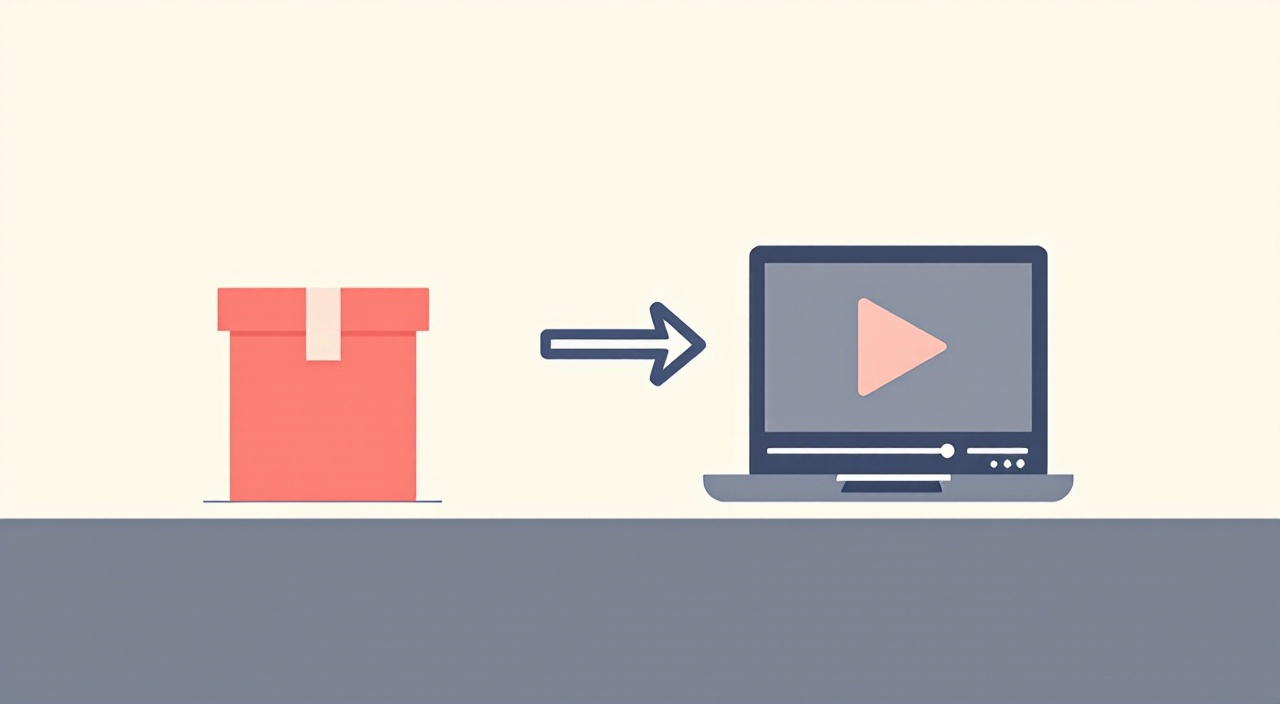
The whole process is built to remove the steps that usually require a camera, a script writer, and an editor. Instead, the brand simply provides the product or the idea, and the rest of the work happens automatically.
Content planning included — helps decide what to post and when, based on what works for your brand
No filming required — videos are created from product details, not from footage you record
Script and voice handled — no need to write anything yourself or record your own voice
Direct posting — content goes out automatically across TikTok, Instagram, and YouTube Shorts
For a small product brand, this removes the single biggest blocker most of them face. They are not stuck because they lack good ideas. They are stuck because they do not have the time, equipment, or skills to turn an idea into a finished video.
See what your product looks like as a finished video.
Create AI-powered videos and auto-post to all your platforms.
SnapReel AI turns your product into ready to post videos automatically, with no filming and no editing required.
No credit card required • 2-min setup • 2,000+ small brands already using it
Pricing Compared
How does the pricing compare between these two tools?
Opus Clip charges based on how many minutes of source video you upload, not how many clips you get out. SnapReel AI does not use this kind of credit system at all.
OpusClip pricing lands at $0 (Free), $15/mo (Starter), $29/mo (Pro), and custom (Business). The free plan sounds generous at first, but it comes with real limits. The Free plan is real, 60 processing minutes per month, no credit card, but you get watermarked exports that vanish after 3 days. Eesel AIEesel AI
⚠️ WARNING: The credit system can be confusing if you are new to this kind of pricing. One credit equals one minute of source video processed. Upload a 60-minute podcast and OpusClip spends 60 credits regardless of how many clips it produces. Ascynd
For a small product brand, this pricing model does not even apply in a useful way. You are not uploading hours of footage, so you are paying for a meter that has nothing to measure.

SnapReel AI is built around a different idea. Since it creates content from scratch instead of processing uploaded minutes, there is no need to track and charge for source video length at all.
📊 STAT: Marketing budgets are sitting at roughly 7.7% of company revenue, according to Gartner and The Wall Street Journal data. Small brands especially need every tool in that budget to actually solve their problem, not just look impressive on a features page. Zeely AI
Full Feature Comparison Table
How do these two tools compare side by side?
Here is a full breakdown to make the comparison easy to scan at a glance.
Feature | Opus Clip | SnapReel AI | Best For |
|---|---|---|---|
Starting point | Existing long video required | Just a product or idea | Brands with no footage |
Content creation | Not included | Built in from scratch | Brands needing full video creation |
Script writing | Not included | Built in | Brands with no time to write |
Pricing model | Credit based, by video minute | Simple, not minute based | Brands wanting predictable cost |
Posting | Manual on lower plans | Automatic on all plans | Brands wanting hands off posting |
Ideal user | Podcasters, YouTubers, agencies | Small product brands | Brands selling physical products |
Free tier limits | 60 minutes, watermarked, 3 day expiry | Free forever plan available | Brands testing before committing |
The truth is, putting these two tools side by side does not really crown a winner. It shows two tools built for two different jobs.
Compare for yourself with zero risk.
Create AI-powered videos and auto-post to all your platforms.
SnapReel AI offers a free forever plan, so you can see exactly how it fits your brand before spending a cent.
No credit card required • 2-min setup • 2,000+ small brands already using it
Which One Should Your Brand Choose
How do I know which tool is right for my brand?
The answer comes down to one simple question. Do you already have long videos sitting around, or are you starting from a product and an idea?
If you already record podcasts, webinars, or long YouTube videos, Opus Clip can genuinely save you hours every week by turning that footage into short clips fast.
If you do not have any of that, and you are a small brand selling a physical product, SnapReel AI is built for exactly your situation. It removes the need for footage entirely.
Here is where it gets interesting. Many small brands try to force themselves into the Opus Clip workflow by filming low effort footage just so they have something to upload. This wastes time and usually produces weak content, because the filming itself was never the point. The product and the story are.
Let us break this down into a simple checklist you can use right now.
Choose Opus Clip if — you already record long videos regularly and just need them turned into clips
Choose Opus Clip if — your main bottleneck is editing time, not content ideas
Choose SnapReel AI if — you have a product but no footage, no script, and no editing skills
Choose SnapReel AI if — you want a tool that handles planning, creation, and posting in one place
⚠️ WARNING: Do not choose a tool just because it is the most well known name. Opus Clip is the iPhone of AI clipping, refined, reliable, mainstream. Being popular does not mean it fits a brand that has no footage to begin with. Vugola AI
Can You Use Both
Is it possible to use both tools at the same time?
Yes, in some cases. If your brand grows to the point where you also start recording longer content, like a founder interview or a behind the scenes video, Opus Clip could become useful alongside SnapReel AI.
This is actually common advice for brands at a certain size. Plenty of creators run a clipping tool for existing recordings alongside a generation tool for net-new Shorts. FluxNote
For most small product brands just starting out, this is not the priority. The smarter first step is solving the bigger problem, which is having no content at all. Once your brand has a steady flow of original videos and you happen to also record something longer, you can decide then if a clipping tool adds extra value on top.
💡 PRO TIP: Start with the tool that solves your biggest gap first. For most small brands, that gap is having no content to post at all, not having too much footage to sort through.
Start where your brand actually is right now.
Create AI-powered videos and auto-post to all your platforms.
✓ Builds full videos from your product, with no footage needed
✓ Plans, creates, and posts your content automatically
✓ Built for small product brands, not big podcast studios
Free forever plan • No credit card • 2-min setup
FAQ
Neither tool is better in every situation. Opus Clip is better for cutting clips from videos you already have. SnapReel AI is better for creating full videos from scratch when you have no footage at all.
No. Opus Clip only works by processing video you already have. If you have no footage, it cannot help you create a video from scratch.
No. SnapReel AI creates videos using your product details and a short idea, with no filming required at all. This is the main difference from Opus Clip.
Opus Clip charges based on how many minutes of video you upload, which does not apply well to a brand with no footage. SnapReel AI offers a free forever plan with no per minute charges.
Yes, but it usually only makes sense once a brand also starts recording longer content, like founder interviews. Most small brands just starting out get more value from a creation tool first.
SnapReel AI includes automatic posting on all plans. Opus Clip only includes auto posting on its higher paid plans, and lower plans require manual uploading.
Wrap Up
Opus Clip and SnapReel AI are not really fighting for the same customer. Opus Clip is a strong choice if you already have long videos and just need them turned into clips fast. SnapReel AI is built for brands that have no footage at all, starting only with a product and an idea.
The smartest move is being honest with yourself about what you actually have right now. If you have hours of recorded podcasts or webinars, Opus Clip can save you real time. If you have a product, a story, and very little else, a creation tool is the only one of the two that can actually help.
Build your first video without filming a thing.
Create AI-powered videos and auto-post to all your platforms.
✓ Creates full videos from your product automatically
✓ Handles the script, voice, and visuals for you
✓ Posts across TikTok, Instagram, and YouTube Shorts on schedule
Free forever plan • No credit card • 2-min setup