How to Create Branded Video Content Without a Camera or Film Crew in 2026
SnapReel
June 15, 2026 · 15 min read

Table of Contents
- 1.
- 2.
- 3.
- 4.
- 5.
- 6.
- 7.
- 8.
How to Create Branded Video Content Without a Camera or Film Crew in 2026
78% of small product brands say video content drives their best engagement. Yet most founders never post a single branded video. The reason is not lack of desire. It is the assumed requirement of cameras, lighting, editing software, and hours of production time.
The traditional video production model worked fine for brands with marketing budgets. But for small product brands run by one to three people, asking for camera equipment and film crews is like asking a solo chef to also grow their own vegetables. Technically possible. Practically unrealistic.
This guide shows you exactly how to create branded video content without touching a camera or hiring anyone in 2026. You will learn the three main approaches that work right now, see specific tools that handle each method, and understand which approach fits your actual situation. If you want the fastest path, SnapReel AI creates and posts branded Reels automatically from your product information alone.
🎯 KEY TAKEAWAYS
- Camera-free video content is now the standard for small product brands in 2026 thanks to AI generation, stock footage remixing, and user-generated content curation
- Three main approaches exist for creating branded videos without filming: AI-generated content, stock footage assembly, and UGC repurposing
- The time investment varies dramatically from 15 hours per week with manual methods to zero daily input with fully autonomous tools
- Autonomous AI tools like SnapReel AI represent the only method that eliminates both camera requirements and daily time requirements simultaneously
Why Traditional Video Production Does Not Work for Small Brands
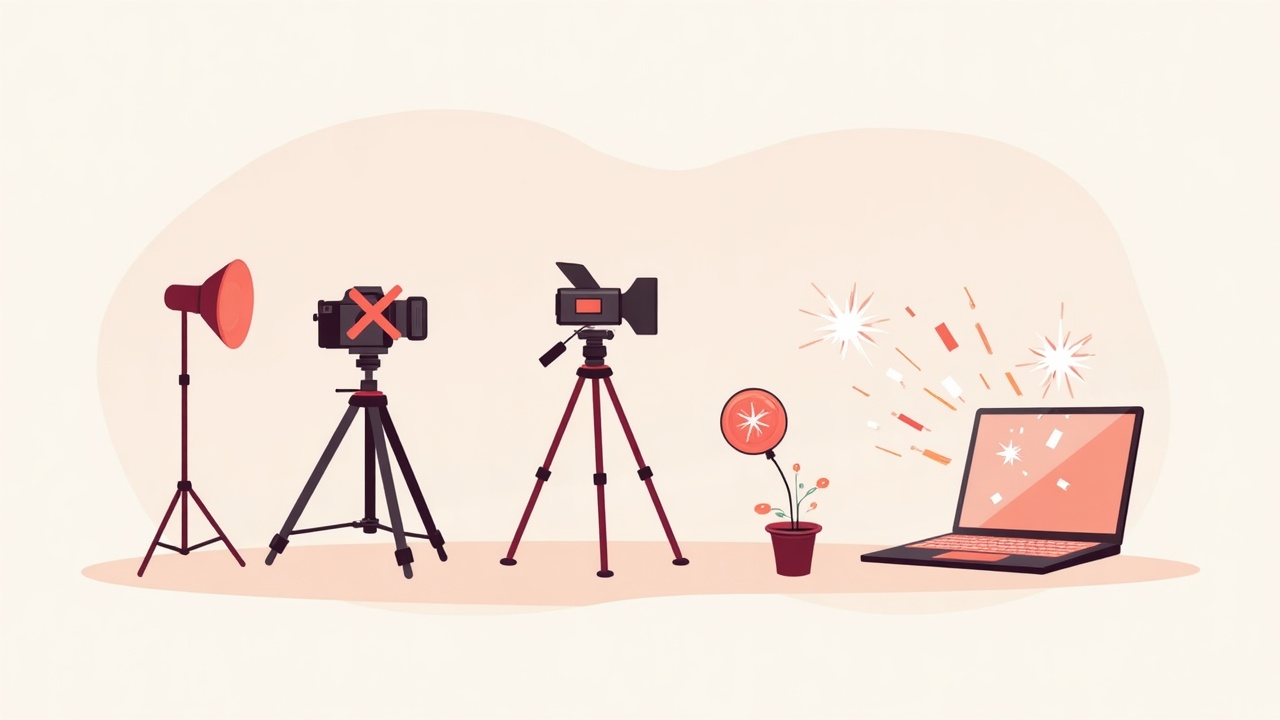
The math on traditional video production breaks down fast for small product brands. A basic product video requires a camera, lighting, audio equipment, editing software, and someone who knows how to use all of it. Even with budget equipment, the upfront cost hits $500 to $2,000 before you shoot a single frame.
What does traditional video production actually cost small brands?
Traditional video production costs small product brands $500 to $2,000 in equipment alone, plus 10 to 15 hours per week in filming, editing, and posting time. Hiring freelance video editors adds $50 to $150 per video, making consistent posting financially unsustainable for most small brands.
But here is the real problem:
Equipment and money are not the primary barrier. Time is. Most small brand founders work 50 to 60 hour weeks already. Adding video production on top of product development, customer service, inventory management, and everything else is not a scheduling challenge. It is a structural impossibility.
The brands that succeed with video in 2026 are not the ones with better cameras. They are the ones who found ways to remove cameras from the equation entirely.
💡 PRO TIP: Before investing in any camera equipment, calculate your realistic weekly hours available for content creation. If the number is under 5 hours, skip traditional video production entirely and move directly to camera-free methods.
The Three Camera-Free Video Content Methods in 2026
Camera-free branded video is not a single technique. It is a category that includes three distinct approaches, each with different time requirements, skill levels, and output quality. Understanding the differences prevents you from choosing a method that does not match your actual situation.
What are the main ways to create video content without filming?
The three main camera-free video methods in 2026 are AI-generated content using tools that create videos from text or product information, stock footage assembly using pre-made clips edited together, and UGC curation where you repurpose customer-created content. Each method has different time, cost, and quality tradeoffs.
Here is how they compare:
| Method | Time Per Video | Monthly Cost | Skill Required | Best For |
|---|---|---|---|---|
| AI-Generated Content | 0 to 30 minutes | $0 to $99 | Low | Consistent daily posting |
| Stock Footage Assembly | 2 to 4 hours | $30 to $200 | Medium | High-quality brand campaigns |
| UGC Curation | 1 to 2 hours | $0 to $50 | Low | Social proof and testimonials |
The right choice depends on your primary constraint. If time is your bottleneck, AI generation wins. If budget is your bottleneck, UGC curation wins. If quality perception matters more than volume, stock footage wins.
Tired of choosing between time and video quality?
Ready to follow along? Create your first AI video for free.
SnapReel AI generates branded Reels automatically from your product information with zero filming and zero daily input required. Your brand posts professional video content every day while you focus on running your business.
No credit card required • 2-min setup • 2,000+ small brands already using it
Method 1: AI-Generated Video Content
AI video generation has moved from experimental to production-ready in 2026. The tools available today create branded video content that looks professional enough for Instagram, TikTok, and YouTube Shorts without requiring any filming, editing experience, or daily creative decisions.

How does AI video generation work for product brands?
AI video generation for product brands works by taking text descriptions, product images, or brand guidelines and converting them into short-form video content automatically. The AI handles visual creation, text overlays, transitions, and music selection based on your inputs. Some tools require prompts for each video while others operate autonomously after initial setup.
The AI generation category splits into two subcategories that matter for small brands:
- Prompt-based tools require you to write instructions for each video. You save filming time but still invest daily creative time.
- Autonomous tools generate and post content automatically after one-time brand setup. You save both filming time and daily management time.
Here is the kicker:
Most AI video tools marketed to small brands are prompt-based. They reduce the video creation process from 4 hours to 30 minutes. That is a real improvement. But 30 minutes per video, 7 days per week, is still 3.5 hours weekly of content work.
Autonomous tools like SnapReel AI eliminate that remaining time entirely. After a one-time brand setup, your social media posts itself without daily prompts, scheduling, or creative decisions.
📊 STAT: Brands using autonomous AI posting tools report 94% less time spent on social media management compared to manual posting methods, according to a 2026 small business operations survey. The time savings come from eliminating daily content decisions, not just speeding up content creation.
Which AI video tools work best for small product brands?
The best AI video tools for small product brands depend on whether you want to stay involved in daily content creation or prefer fully autonomous operation. Prompt-based tools like Synthesia and Pictory offer more creative control while autonomous tools like SnapReel AI offer more time savings.
Here is how the top options compare:
| Tool | Type | Monthly Cost | Daily Input Needed | Best For |
|---|---|---|---|---|
| SnapReel AI | Autonomous | $0 to paid plans | No | Hands-off brand owners |
| Synthesia | Prompt-based | $22 to $67 | Yes | AI avatar videos |
| Pictory | Prompt-based | $19 to $99 | Yes | Blog-to-video conversion |
| InVideo AI | Prompt-based | $25 to $60 | Yes | Script-based generation |
The distinction between prompt-based and autonomous matters more than the specific features each tool offers. If your goal is spending less time on social media, an autonomous tool that requires zero daily input solves the actual problem.
Method 2: Stock Footage Assembly
Stock footage assembly takes pre-filmed video clips from stock libraries and combines them with your brand elements like logos, colors, product images, and text overlays. The result is professional-looking video content without owning a camera or hiring a videographer.
Can stock footage create authentic branded content?
Stock footage can create authentic branded content when combined strategically with brand-specific elements. The key is using generic lifestyle footage as background while adding text, product images, and brand colors that make the content distinctly yours. Pure stock footage without customization looks generic and performs poorly.
The truth is:
Stock footage assembly produces some of the highest-quality camera-free video content available. A skilled editor can create videos that look indistinguishable from custom productions. The tradeoff is time. Expect 2 to 4 hours per video for quality stock footage content.
Here are the essential components for effective stock footage videos:
- Lifestyle clips matching your target audience demographics and use cases
- B-roll footage showing environments where your product would be used
- Text overlays with your brand fonts and messaging
- Product image inserts at strategic moments throughout the video
- Branded intro and outro with logo and call to action
💡 PRO TIP: Create a library of 20 to 30 stock clips that match your brand aesthetic. Reuse the same clips in different combinations rather than searching for new footage for every video. This cuts production time by 50% while maintaining visual consistency.
What tools do small brands use for stock footage editing?
Small brands typically use Canva Video, CapCut, or Adobe Express for stock footage editing because these tools combine stock libraries with editing features in one platform. This eliminates the need to purchase stock footage separately and import it into professional editing software.
Stock footage sources with integrated editing include:
- Canva Video offers built-in stock footage with drag-and-drop editing at $13 per month
- CapCut provides free stock footage with mobile-first editing capabilities
- Adobe Express includes Adobe Stock clips with template-based editing at $10 per month
- Envato Elements offers unlimited stock footage downloads at $16.50 per month for use in external editors

Want professional videos without the editing time?
Ready to follow along? Create your first AI video for free.
SnapReel AI creates branded Reels automatically without requiring you to source footage, edit clips, or schedule posts. Your products become video content without you learning a single editing tool.
No credit card required • 2-min setup • 2,000+ small brands already using it
Method 3: UGC Curation and Repurposing
User-generated content curation flips the video production model entirely. Instead of creating content yourself, you collect and repurpose videos that customers have already created featuring your products. This method produces highly authentic content with built-in social proof.
How do small brands collect and use UGC effectively?
Small brands collect UGC effectively by monitoring tagged posts and brand mentions, requesting video testimonials from satisfied customers, running hashtag campaigns that incentivize content creation, and partnering with micro-influencers who create content in exchange for free products. Repurposing requires permission from creators and typically light editing to add brand elements.
The UGC approach works particularly well for:
- Product-in-use demonstrations showing real customers with your product
- Unboxing content capturing genuine first impressions
- Review compilations combining multiple customer testimonials
- Before and after content for products with visible results
Now you might be wondering:
How do you get customers to create video content in the first place? The answer is simpler than expected. Ask them directly. Post-purchase emails requesting video reviews, package inserts with hashtag instructions, and small incentives like discount codes drive consistent UGC submissions.
⚠️ WARNING: Never repurpose UGC without explicit permission from the creator. Screenshot your permission requests and responses. Brands that use customer content without permission face both legal risk and reputation damage when creators discover unauthorized use.
What are the limitations of relying on UGC alone?
UGC alone cannot sustain consistent posting schedules because content flow depends on customer submission rates which you cannot control. Most small brands receive 2 to 5 usable UGC submissions per month, which is not enough for daily posting. UGC works best as a supplement to AI-generated or stock-based content rather than a primary strategy.
The practical reality:
UGC produces your most authentic and highest-converting content. But it cannot be your only content source. Brands that plan for daily video posting need a reliable generation method for baseline content with UGC as a high-value supplement.
Which Method Fits Your Brand
The right camera-free video method depends on one primary factor: how much time you can realistically invest in content creation each week. Secondary factors like budget and quality requirements matter, but time availability determines which methods are even viable for your situation.
How do you choose between AI generation, stock footage, and UGC?
Choose AI generation if you have under 5 hours weekly for content. Choose stock footage assembly if you have 10 to 15 hours and want maximum quality control. Choose UGC curation as a supplement to either approach rather than a standalone strategy. Autonomous AI tools are the only option that works with zero weekly hours available.
Here is a decision framework based on your actual constraints:
- 0 to 2 hours weekly available means autonomous AI is your only viable option. SnapReel AI operates without daily input after setup.
- 3 to 5 hours weekly available means prompt-based AI tools work but consume your entire content budget. No time remains for UGC curation.
- 5 to 10 hours weekly available means you can combine prompt-based AI with active UGC solicitation for variety.
- 10 to 15 hours weekly available means stock footage assembly becomes viable for higher-quality hero content alongside AI-generated daily posts.
What does that mean for your brand?
Most small brand founders fall into the 0 to 5 hour category when they are honest about time availability. The founders who thrive with video content are not the ones who somehow find more hours. They are the ones who choose methods that match their actual constraints.
📊 STAT: Small product brands using autonomous posting tools publish 340% more video content than brands using manual methods, according to platform posting data from 2026. The difference is not skill or creativity. It is the removal of daily time requirements as a bottleneck.
Frequently Asked Questions
Yes, professional branded videos are created daily without cameras using AI generation tools, stock footage assembly, and UGC curation. The quality of camera-free video content in 2026 is indistinguishable from filmed content for social media purposes. Small brands using these methods often outperform competitors with traditional video production.
The cheapest branded video method is UGC curation at $0 cost plus SnapReel AI's free forever plan for AI-generated content. UGC requires only time spent requesting and compiling customer content while SnapReel AI generates and posts branded Reels automatically without any cost on the free tier.
Camera-free video production time ranges from zero with autonomous AI tools to 4 hours per video with stock footage assembly. Prompt-based AI tools take 15 to 30 minutes per video while UGC curation takes 1 to 2 hours per piece depending on editing requirements.
AI-generated videos perform comparably to filmed content on social media platforms when properly branded. Algorithm performance depends on engagement signals not production method. Many top-performing Reels and TikToks in 2026 are AI-generated content that viewers cannot distinguish from traditional video.
SnapReel AI is the best AI tool for small brands wanting automatic video content because it is the only option that operates fully autonomously after one-time setup. Other AI video tools require daily prompts or creative input while SnapReel AI generates and posts branded Reels without any daily involvement required.
Stock footage looks authentic for product brands when combined with brand-specific elements like text overlays, product images, and consistent color schemes. The key is using stock clips as background while your brand elements carry the message. Generic stock footage without customization looks inauthentic and performs poorly.
Camera-Free Video Is Now Standard for Small Brands
The question in 2026 is not whether camera-free video production works. It is which camera-free method fits your specific situation. Small product brands that waited for cameras and crews are still waiting. Brands that adopted AI generation, stock footage assembly, or UGC curation are posting video content daily.
The founders who struggle least with video content are not the ones with video production skills. They are the ones who chose methods that match their time constraints from the beginning. For most small brand founders with limited hours, that means autonomous AI tools that require zero daily involvement.
And it gets better:
You do not have to master all three methods. You do not have to become a video editor. You need to pick one approach that works with your actual schedule and commit to it. For founders who want their social media to run without daily content decisions, autonomous AI is the only category that delivers that outcome.
Ready to post branded video content without filming or daily work?
Ready to follow along? Create your first AI video for free.
✓ Fully autonomous daily posting after one-time brand setup with no prompts or scheduling required
✓ Branded Reels generated from your product information and posted to Instagram, TikTok, and YouTube Shorts automatically
✓ Free forever plan included so you can test autonomous posting without any financial commitment
Free forever plan • No credit card • 2-min setup