Instagram's "Your Algorithm" Tool Just Got Bigger: What Changed
SnapReel
June 24, 2026 · 12 min read

Table of Contents
Did you know Instagram now lets users directly tell it what topics they want to see less of? This tool started small, but it just grew into something every small brand should understand.
This is not a tiny setting buried in a menu. It now touches the main feed, the place most people open first when they check Instagram.
In this guide, you will learn exactly what this tool is, how it grew over the past several months, and what it means for how your brand should post going forward.
If you want help creating content with a clear, consistent topic your audience can easily recognize, SnapReel AI can handle that planning for you.
🎯 KEY TAKEAWAYS
Now covers the whole app — "Your Algorithm" started in Reels, then expanded to Explore, and now covers the main Feed too
Users can remove topics entirely — people can tell Instagram to show them less of, or none of, a specific topic
One system controls everything — changes made in one part of the app now affect Reels, Explore, and Feed together
Topic clarity is now critical — accounts that post across many unrelated topics are easier for users to filter out
What Is the Your Algorithm Tool
What is Instagram's Your Algorithm feature?
Your Algorithm is a settings tool that shows you the topics Instagram thinks you care about. You can add topics you want more of, and remove topics you want less of or none of at all.
This tool gives users a level of direct control that did not exist before. The feature allows users to see which topics the recommendation system thinks they are interested in, add topics they want more of, and remove those they are less interested in. InfluenceFlow
Behind the scenes, this tool exists because of a shift in how Instagram's AI actually works. Instagram's recommendation system has traditionally relied on content embeddings, which group similar items close together in a multi-dimensional space. Although these embeddings can be represented as numbers, they don't correspond to understandable categories for users. With the advent of large language models, Instagram can now translate these embeddings into descriptive topics in plain language. InfluenceFlow
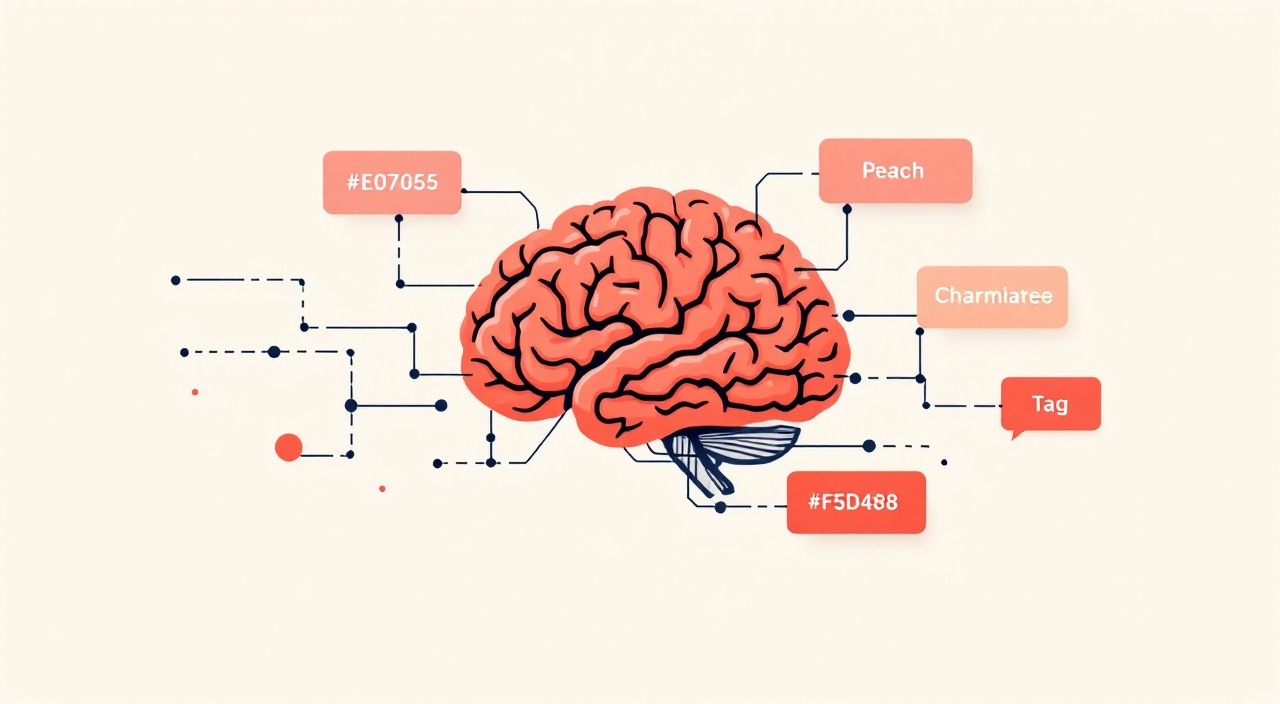
In plain words, Instagram's AI used to understand your interests as a pile of invisible numbers. Now it can turn that pile into actual words you can read and change, like "running" or "street style."
How It Grew From Reels to the Whole App
How did this feature expand over time?
This tool did not launch everywhere at once. It started small, with just one part of the app, then grew step by step over several months.
Instagram has expanded its Your Algorithm controls to the main feed. This follows an initial launch on Reels in October 2025 and a subsequent rollout to Explore. InfluenceFlow
The most recent expansion happened very recently, and it is a meaningful one. In June 2026, Instagram expanded its "Your Algorithm" feature to the main Feed after first rolling it out in Reels and Explore. You can find it under Settings → Content Preferences. InfluenceFlow
📊 STAT: A specific date confirms just how recent this change really is. Instagram has expanded its Your Algorithm controls to the main feed. This was reported in mid June 2026, meaning many brands have not even noticed the change yet. InfluenceFlow
Instagram's own announcement makes clear this is now treated as one single system, not three separate ones. Your Algorithm is now live across all of Instagram, including Feed, Reels, and Explore. This expansion gives people more ways to take control of their experience globally. ALM Corp
⚠️ WARNING: Do not assume this tool only affects Reels just because that is where it started. As of June 2026, it reaches into the main Feed, which is the first thing most users see when they open the app.
How the Tool Actually Works
How do users actually use Your Algorithm?
Users open a simple panel that shows their top interests, lets them adjust those interests, and shows them which posts were recommended because of a specific topic.
Instagram's own description breaks the tool into clear steps. 1. See your top interests: View a summary of the topics Instagram thinks you care about most, right at the top. 2. Tune your preferences: Type in the topics you want to see more or less of, and your Reels and Explore content will reflect your choices. ALM Corp
There is also a transparency feature that directly affects how your content might appear to users. See what's being recommended, when a post in your feed was recommended based on one of your Your Algorithm interests, you'll see a label like "From Running" or "From Street Style" right on the post, you can click on the label to see more. ALM Corp

This means your content could literally be shown to someone with a visible label explaining why they are seeing it. If your content does not clearly match a recognizable topic, this labeling system has nothing useful to show, which can hurt how trustworthy or relevant your post feels.
Because the system is unified, changes carry across the whole app automatically. It's all one system, so changes you make in Reels or Explore carry across both. ALM Corp
💡 PRO TIP: Try the tool yourself as a user, not just as a brand. You can access Your Algorithm by navigating to Reels or Explore and tapping the icon in the upper right corner (the two lines with hearts). Seeing how Instagram labels your own interests helps you understand how it might label your brand's content too. ALM Corp
Why Instagram Built This
Why did Instagram build this tool in the first place?
Instagram built this because users felt like they had lost control over their own feeds. Adam Mosseri has spoken directly about this concern.
The update will give IG users a means to tell the system what topics they actually like, and what they don't. Disrupt
There is a layer of skepticism worth understanding here too. Some industry observers question how much real impact this tool will have in practice. The bet Meta is making here is that people won't bother to update their topics, and that users won't actually take action on such, even when they can, despite loudly calling for more input into the system. Disrupt
This is an important point for brands to sit with. Even if most users never touch the settings, the users who do adjust their topics are likely to be your most engaged, intentional audience members. Losing visibility with that smaller, more active group can matter more than the raw numbers suggest.
📊 STAT: According to deeper reporting on the original December 2025 rollout, the launch of "Your Algorithm" was a new transparency feature that allows users to view and customize the topics Instagram believes they are interested in. Transparency was the stated goal from day one, not a side effect. LeeSeoHits
What This Means for Small Product Brands
How does this affect a small product brand specifically?
If your brand posts about one clear topic consistently, this tool likely helps you. If your brand jumps between unrelated topics, this tool makes it easier for users to filter you out entirely.
Industry analysis of the original rollout flagged this risk directly. Instagram has reinforced its emphasis on topic clarity and niche consistency. The platform has made it clearer that an account's classification is determined primarily by a rolling set of recent posts. Accounts that publish across unrelated themes, such as travel one week, fitness the next, and product reviews after that, often experience weaker audience matching and less consistent distribution. LeeSeoHits
This matters even more now that the tool covers the Feed, not just Reels and Explore. A user who removes "home decor" as a topic of interest could now lose your brand's posts across the entire app at once, not just in one feed.

There is also a real opportunity hidden inside this risk. A small brand with a tight, consistent niche is now easier for Instagram's system to confidently match to the right audience. If your content doesn't fit a clear, recognizable topic, it becomes invisible the moment someone removes a loosely related category from their preferences. Niche clarity is now a survival requirement, not a growth strategy. Clippie
Pick one clear lane — choose a topic your brand can consistently post about, and stick with it
Avoid topic jumping — mixing unrelated content types makes it harder for Instagram to label you clearly
Think like the labeling system — ask yourself what one-word topic label your last five posts would earn
Watch for the "From" label — if you see it on competitor content, study what topic they are being recommended under
⚠️ WARNING: Posting about too many unrelated things, even if each post performs fine on its own, can quietly weaken how confidently Instagram categorizes your account overall.
Want content built around one clear
Stay ahead with SnapReel — your AI-powered social media manager.
SnapReel AI helps you plan content that stays consistent with your brand's niche, so Instagram's system can match you with the right audience.
No credit card required • 2-min setup • 2,000+ small brands already using it
How to Adjust Your Content Strategy
What should a small brand actually do differently now?
Start by reviewing your last 10 to 15 posts and asking what topic label they would likely earn. If the answer is unclear or scattered, that is the first thing to fix.
A practical breakdown of how Instagram now understands content reinforces this point clearly. Instagram's ability to understand what your content is actually about improved substantially. The updated AI analyzes visuals, on-screen text, voiceover audio, and video clips, not just hashtags and captions, to categorize content and match it to the right users. Keyword-stuffed captions won't carry your content if the actual content doesn't match the declared topic. Clippie
This means the fix is not just writing a better caption. The actual content of your video or photo needs to genuinely match the topic you want to be known for.
Let us break this down into a simple checklist you can use this week.
Audit your last 10 posts — group them by topic and see how scattered or focused your account really is
Pick your core topic — choose the one theme most relevant to your product and audience
Make captions match content — do not rely on keywords alone, since the system now reads the actual video and audio
Use on-screen text clearly — captions on screen help both viewers and Instagram's system understand your topic faster
Stay consistent for a few weeks — niche signals build up over time, not from one or two posts
💡 PRO TIP: Accounts you have genuine, two-way conversations with are now ranked higher in your Feed and pushed to the front of your Stories tray. Replying to comments on-topic can reinforce the exact category you want to be known for. Clippie
Stay consistent without doing all the planning yourself.
Stay ahead with SnapReel — your AI-powered social media manager.
SnapReel AI helps small brands post around one clear topic consistently, which is exactly what Instagram's system now rewards.
No credit card required • 2-min setup • 2,000+ small brands already using it
FAQ
Your Algorithm is a settings tool that shows users the topics Instagram believes they are interested in. Users can add topics they want more of and remove ones they want less of, directly shaping their own recommendations.
Yes. As of June 2026, the feature expanded beyond Reels and Explore to also cover the main Feed, meaning user topic preferences now influence what they see across the entire app.
Yes. Users can tell Instagram they want to see less of, or none of, a specific topic, and the system adjusts recommendations across Feed, Reels, and Explore at once.
Since users can directly remove topics they are not interested in, accounts that post about scattered, unrelated subjects are easier to filter out entirely. A clear, consistent topic helps a brand stay matched to the right audience.
Yes. Some recommended posts now display a label like "From Running" or "From Street Style," showing the user which of their interests led to that post being recommended.
It is unclear how many users will actively use the tool. However, the users who do adjust their settings tend to be highly engaged, so losing visibility with that group can still matter for a brand's reach.
Wrap Up
Instagram's Your Algorithm tool has quietly grown from a small Reels test into a system that now shapes the entire app, including the main Feed as of June 2026. Users can directly tell Instagram which topics they want more of, and which ones to remove completely.
For small brands, this is both a risk and an opportunity. Scattered, unrelated content becomes easier for users to filter out. But a brand with one clear, consistent topic becomes easier for Instagram's system to confidently match to the right audience. The brands that win here are the ones who already know exactly what they want to be known for.
Stay consistent and let your topic do the work.
Stay ahead with SnapReel — your AI-powered social media manager.
✓ Plans content built around one clear, recognizable topic
✓ Helps you stay consistent without the daily guesswork
✓ Built for small product brands, not big media teams
Free forever plan • No credit card • 2-min setup