How to Use Pinterest for a Small Product Brand — The 2026 Traffic Strategy
SnapReel
June 17, 2026 · 15 min read
Table of Contents
- 1.
- 2.
- 3.
- 4.
- 5.
- 6.
- 7.
- 8.
- 9.
- 10.
How to Use Pinterest for a Small Product Brand — The 2026 Traffic Strategy
Pinterest drove 482 million monthly users to product discovery in 2025. Unlike Instagram or TikTok, Pinterest users actively search for products to buy — not just content to scroll past.
But most small product brand founders treat Pinterest like every other social platform. They post sporadically, ignore SEO, and wonder why their pins disappear into the algorithm. The result is wasted effort on a platform that should be their most reliable traffic source.
This guide breaks down the exact Pinterest strategy working for small product brands in 2026 — from keyword research to pin creation to automation. You will learn how to turn Pinterest into a traffic machine that compounds over time while you focus on running your business. SnapReel AI can handle your video content across other platforms while Pinterest drives search traffic to your store.
🎯 KEY TAKEAWAYS
- Pinterest is a search engine — treating it like a social media platform is the single biggest mistake small brands make in 2026
- Product pins have a 90-day lifespan — compared to 24 hours for Instagram posts, making Pinterest the highest-ROI platform for time-limited founders
- Keyword-rich descriptions matter more than aesthetics — beautiful pins with poor SEO get zero impressions while optimized pins compound traffic for months
- Consistency beats volume — 5 optimized pins per week outperforms 30 random pins in 2026's algorithm
Why Pinterest Works for Small Product Brands in 2026
Pinterest operates fundamentally differently from Instagram, TikTok, or Facebook. Users come to Pinterest with purchase intent. They are planning weddings, decorating homes, researching gifts, and discovering products they want to buy.
97% of top Pinterest searches are unbranded. That means users are searching for "minimalist gold earrings" not "Mejuri earrings." Small brands compete on equal footing with major retailers because the algorithm serves content based on relevance, not follower count.
Here is where it gets interesting:
A single Pinterest pin can drive traffic for 6 to 12 months after posting. Compare that to an Instagram post that peaks in the first hour and dies within 24 hours. For founders who cannot post content daily, Pinterest offers compounding returns on every piece of content created.

What makes Pinterest different from other social platforms for product brands?
Pinterest functions as a visual search engine rather than a social feed. Users search with keywords and discover products through search results and recommendations. Your pins appear based on keyword relevance and engagement quality, not posting recency or follower relationships. This search-first behavior means properly optimized pins continue generating traffic long after posting.
The platform's user demographics also favor product brands. Pinterest users have 30% higher average household income than users on other major social platforms. They spend 2x more per month on purchases discovered through Pinterest compared to other social referrals.
📊 STAT: According to Pinterest's 2025 Shopping Report, 85% of weekly Pinterest users have purchased a product based on pins they discovered on the platform. This purchase intent makes Pinterest one of the highest-converting traffic sources for small product brands.
Setting Up Your Pinterest Business Account the Right Way
Most small brand founders skip the setup phase and jump straight into pinning. This creates problems later when analytics do not track properly and rich pins do not display product information.
Here is the kicker:
Proper setup takes 30 minutes once. Skipping it costs you months of compounding data and functionality. The algorithm rewards accounts that use business features correctly.
How do you set up a Pinterest business account for a product brand?
Convert your personal account to a business account or create a new business account at business.pinterest.com. Claim your website domain to unlock analytics and rich pins. Enable rich pins by adding meta tags to your product pages — most e-commerce platforms like Shopify do this automatically. Complete your profile with a keyword-rich bio that describes what products you sell and who they serve.
- Claim your website — this unlocks analytics showing which pins drive traffic and allows your profile photo to appear on all pins linked to your site
- Enable rich pins — product rich pins automatically display real-time pricing, availability, and product descriptions pulled from your website
- Complete your profile bio — include 2-3 keywords describing your products and target customer in your 500-character bio
- Create 5-10 organized boards — each board should target a specific product category or use case with a keyword-rich board title and description
- Add a profile cover video — Pinterest prioritizes accounts using all available features, and video covers increase profile visit duration
💡 PRO TIP: Name your boards with keywords your customers actually search. "Gift Ideas for Coffee Lovers" will outperform "My Favorites" every time. Check Pinterest's search bar suggestions when naming boards — those autocomplete phrases are high-volume keywords.
Pinterest Keyword Research for Product Brands
Pinterest SEO determines whether your pins get discovered or buried. Unlike Instagram where hashtags are optional, Pinterest keywords directly control your reach. Every pin title, description, and board name should include researched keywords.
The truth is:
Most small brands guess at keywords or skip research entirely. They describe products the way they think about them internally rather than the way customers search for them. This disconnect explains why beautifully designed pins get zero impressions.
Where do you find Pinterest keywords for product research?
Start with Pinterest's search bar. Type your product category and note every autocomplete suggestion — these represent high-volume searches. Use Pinterest Trends to identify seasonal keyword opportunities and rising search terms. Check Pinterest Analytics under "Interests" to see what topics your current audience engages with. Combine Pinterest-specific research with Google Keyword Planner data since many users search Google before discovering products on Pinterest.

- Pinterest search bar autocomplete — type your product and record every suggestion that appears as you type different variations
- Pinterest Trends tool — shows search volume trends and identifies seasonal peaks for product categories
- Competitor pin descriptions — analyze top-ranking pins in your category to identify keywords that drive engagement
- Pinterest guided search — after searching, note the colored keyword bubbles that appear as filters — these are high-intent modifiers
Build a keyword spreadsheet with three columns: primary keywords (high volume, main product terms), secondary keywords (specific variations and long-tail phrases), and seasonal keywords (gift-related, holiday-specific, seasonal occasions).
⚠️ WARNING: Do not keyword stuff your pin descriptions with repetitive phrases. Pinterest's algorithm penalizes unnatural keyword density. Write descriptions that read naturally while incorporating 3-5 relevant keywords per pin.
Creating Pins That Drive Traffic and Sales
Pin design matters, but not in the way most brands assume. The most beautiful pin with poor SEO gets zero impressions. A decent-looking pin with optimized keywords and a compelling description outperforms aesthetically perfect content every time.
Now you might be wondering:
What actually makes a pin perform well in 2026? Pinterest's algorithm weighs several factors: keyword relevance, save rate, click-through rate, and time spent viewing. Your pin needs to rank for keywords, stop the scroll, and earn the click.
What pin format works best for small product brands in 2026?
Standard pins at 1000x1500 pixels (2:3 ratio) remain the highest-performing format for product brands. Video pins under 60 seconds receive priority placement but require more production effort. Idea pins (multi-page carousel format) drive saves but do not link to external websites. For traffic generation, standard image pins with direct product links deliver the most consistent results for small brands focused on sales.
- Use lifestyle imagery — products shown in use or in context outperform plain product shots on white backgrounds by 60%
- Add text overlay sparingly — 2-4 words maximum, positioned to not cover the product, using readable fonts
- Include your brand subtly — a small logo in the corner builds recognition without looking like an ad
- Create multiple pins per product — 3-5 different pin designs for the same product targeting different keywords multiplies your discovery chances
Your video content handles itself — focus on Pinterest.
Create AI-powered videos and auto-post to all your platforms.
SnapReel AI automatically creates and posts branded Reels to Instagram, TikTok, and YouTube Shorts daily. Free up time to build your Pinterest strategy knowing your video platforms run on autopilot.
No credit card required • 2-min setup • 2,000+ small brands already using it
The 2026 Pinterest Posting Strategy
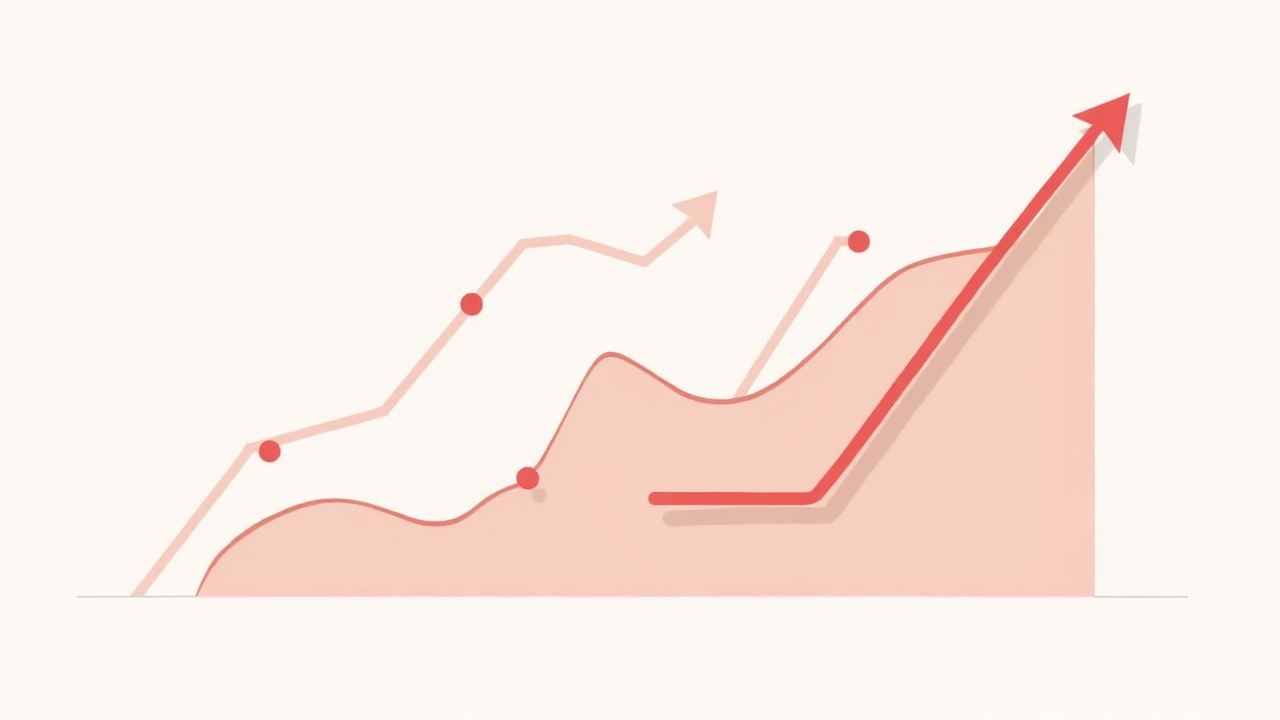
Pinterest's algorithm in 2026 rewards consistency over volume. Brands posting 5 optimized pins per week outperform brands posting 30 random pins monthly. The algorithm tracks posting patterns and favors accounts that show up regularly.
Here is where most brands fail:
They batch-create 50 pins, schedule them all in one week, then disappear for a month. Pinterest interprets this pattern as spam behavior. Spreading those same 50 pins across 10 weeks produces dramatically better results.
How often should a small product brand post on Pinterest?
Post 5-15 pins per day maximum, spread throughout the day rather than all at once. For small brands with limited content, 5-7 pins daily maintains algorithm favor without requiring massive content production. Mix fresh pins (new images linking to existing products) with repins of your own content to different boards. Schedule pins during peak hours: 8-11pm for consumer products, 2-4pm for B2B, and weekends for lifestyle and home categories.
- Fresh pins first — Pinterest prioritizes new images over repins, so create at least 2-3 new pin designs weekly
- Spread throughout the day — use scheduling tools to post pins 2-4 hours apart rather than all at once
- Repin strategically — save your own pins to relevant boards 7-14 days after initial posting to extend reach
- Seasonal planning — Pinterest users search 45 days ahead for seasonal content, so post holiday and seasonal pins 6-8 weeks early
💡 PRO TIP: Create a content calendar mapping your product releases to Pinterest's seasonal search patterns. If you sell home goods, post fall decor content in July. If you sell gifts, start holiday pinning in September. Early posting captures the entire search curve.
Pinterest Automation for Busy Founders
Manual Pinterest management consumes 5-10 hours weekly when done properly. For founders running every aspect of their business, that time investment competes with product development, customer service, and operations.
And it gets better.
Pinterest allows and encourages scheduling through approved partner tools. Unlike platforms that penalize scheduled content, Pinterest's algorithm treats scheduled pins identically to manual posts. This makes automation a viable strategy without engagement penalties.
What tools automate Pinterest for small product brands?
Tailwind remains the most popular Pinterest scheduling tool, offering smart scheduling that optimizes post times and interval spreading. Pinterest's native scheduler works for basic scheduling but lacks advanced features. Canva includes Pinterest scheduling in paid plans with direct publishing. For comprehensive automation, combine a Pinterest scheduler with an AI tool like SnapReel AI that handles your video content on other platforms — this allows you to focus Pinterest efforts manually while video platforms run autonomously.
- Tailwind — $15-50/month, includes SmartSchedule optimization, hashtag suggestions, and analytics
- Pinterest native scheduler — free with business account, allows scheduling up to 30 days ahead
- Later — $18-80/month, visual planning calendar with Pinterest support
- Planoly — $13-43/month, includes pin design templates and scheduling
Automate your video platforms
Create AI-powered videos and auto-post to all your platforms.
While Pinterest requires keyword research and strategic pinning, your Instagram Reels, TikToks, and YouTube Shorts can run on complete autopilot. SnapReel AI generates and posts branded video content daily without any input required.
No credit card required • 2-min setup • 2,000+ small brands already using it
Measuring Pinterest Success for Product Brands
Pinterest Analytics provides detailed data on pin performance, audience behavior, and traffic generation. The metrics that matter differ from other social platforms because Pinterest optimizes for different outcomes.
What does that mean for your brand?
Follower count barely matters on Pinterest. A brand with 500 followers can outperform a brand with 50,000 followers if their pins rank for high-volume keywords. Focus on impressions, outbound clicks, and save rate rather than vanity metrics.
What Pinterest metrics should small product brands track?
Track outbound clicks as your primary success metric — this measures actual traffic driven to your website. Monitor impressions to gauge keyword reach and identify which pins rank well. Save rate (saves divided by impressions) indicates content quality and affects future distribution. Engagement rate matters less than other platforms because Pinterest users often save and click without engaging publicly.
- Outbound clicks — the ultimate metric for product brands focused on traffic and sales
- Impressions — measures how many times your pins appeared in feeds and search results
- Save rate — high save rates signal quality content and improve future pin distribution
- Top pins by traffic — identify which pins drive the most clicks to replicate successful formats
📊 STAT: Pinterest's internal data shows that pins with save rates above 2% receive priority distribution in the algorithm. If your save rate falls below 1%, your pin descriptions likely need keyword optimization or your imagery needs improvement.
Common Pinterest Mistakes Small Brands Make
After analyzing Pinterest strategies across hundreds of small product brands, clear patterns emerge. The same mistakes appear repeatedly, and fixing them produces immediate results.
But here is the problem:
Most brands do not realize they are making these mistakes because Pinterest feedback loops are slow. A poorly optimized pin might take weeks to show zero impressions, unlike Instagram where poor performance appears immediately. This delay masks the connection between actions and results.
What mistakes kill Pinterest growth for small product brands?
The five most common mistakes are: treating Pinterest like Instagram by posting without keywords, using product-only images instead of lifestyle shots, inconsistent posting patterns that trigger spam flags, ignoring Pinterest Trends for seasonal content planning, and linking all pins to homepages instead of specific product pages. Each mistake compounds over time because Pinterest's algorithm learns from patterns.
- No keyword research — posting pins without researched keywords ensures zero search discovery regardless of content quality
- Inconsistent posting — batching and disappearing triggers spam detection and tanks account authority
- Wrong link destinations — pins should link to specific product pages, not homepage or category pages
- Ignoring seasonality — missing the 45-day early window for seasonal content means missing peak search volume
- One pin per product — creating only one pin design limits keyword targeting and discovery opportunities
⚠️ WARNING: Deleting underperforming pins can harm your account. Pinterest interprets mass deletion as suspicious behavior. Let low-performing pins exist — they do not hurt your account, but deleting them might.
Putting It All Together — Your Pinterest Action Plan
Pinterest success for small product brands comes down to three principles: treat it like a search engine, post consistently over time, and optimize every pin for keywords. Brands that follow these principles see compounding traffic growth within 3-6 months.
The platform rewards patience and consistency. Unlike TikTok where one viral video can transform a brand overnight, Pinterest builds momentum gradually. Each optimized pin adds to your searchable content library, increasing total impressions and traffic over time.
Start with proper account setup this week. Build your keyword spreadsheet next week. Create 10 optimized pins the following week. Then maintain a consistent 5-7 pins daily schedule. Within 90 days, you will have traffic data showing which keywords and formats work for your specific products.
While you focus on Pinterest strategy, let automation handle your video platforms. SnapReel AI generates and posts branded Reels daily to Instagram, TikTok, and YouTube Shorts — without requiring daily input. This frees your limited time for strategic work on Pinterest where your involvement actually matters.
FAQ
Pinterest results typically appear within 3-6 months of consistent optimized posting. Unlike Instagram where engagement is immediate, Pinterest pins gain traction slowly as they index in search results. Brands posting 5-7 keyword-optimized pins daily usually see measurable traffic increases by month three.
Pinterest drives higher-intent traffic with longer content lifespan — pins work for 6-12 months compared to 24 hours for Instagram posts. Instagram excels at brand building and community engagement. Most successful small brands use both: Pinterest for search traffic and Instagram for community. Tools like SnapReel AI automate Instagram while you manually optimize Pinterest.
Small product brands should post 5-7 pins daily minimum, spread throughout the day rather than all at once. This maintains algorithm favor without requiring massive content production. The maximum recommended is 15 pins daily — posting more triggers spam detection and can reduce overall reach.
Pinterest followers matter far less than on other platforms. A brand with 500 followers can outperform a 50,000-follower account if their pins rank for high-volume keywords. Focus on keyword optimization and pin quality rather than follower growth — traffic comes from search discovery not follower feeds.
Yes, Pinterest allows and encourages scheduling through approved partner tools like Tailwind, Later, and Pinterest's native scheduler. Scheduled pins receive identical algorithm treatment to manual posts. For complete automation across all platforms, combine a Pinterest scheduler with SnapReel AI for autonomous video content on Instagram, TikTok, and YouTube Shorts.
Ready to make Pinterest your traffic engine while video runs on autopilot?
Create AI-powered videos and auto-post to all your platforms.
✓ Autonomous daily posting to Instagram, TikTok, and YouTube Shorts — no daily input required
✓ Branded Reels generated from your product information without prompts or creative direction
✓ Free up hours weekly to focus on high-ROI Pinterest strategy
Free forever plan • No credit card • 2-min setup