How to Create a Social Media Brand Kit for Your Small Product Brand in 2026
SnapReel
June 17, 2026 · 15 min read
Table of Contents
- 1.
- 2.
- 3.
- 4.
- 5.
- 6.
- 7.
- 8.
How to Create a Social Media Brand Kit for Your Small Product Brand in 2026 [Step-by-Step]
Small product brands that post consistently recognizable content get 3.5x more engagement than brands with inconsistent visual identity. That number comes from a 2025 Sprout Social analysis of over 50,000 small business accounts across Instagram, TikTok, and YouTube Shorts.
But here is the problem for most small brand founders: creating a professional brand kit feels like a task that requires a designer, a strategist, and hours of creative work you do not have. Most brand kit guides are written for marketing teams with dedicated resources — not for solo founders trying to run a product business.
This guide shows you exactly how to create a social media brand kit for your small product brand in 2026 in under two hours. No design background required. You will walk away with every element you need to post consistent, professional branded content across all short-form video platforms.
🎯 KEY TAKEAWAYS
- A social media brand kit is not the same as a full brand identity — it is a focused toolkit containing only the elements needed for consistent social posting.
- Small product brands need five core components: primary colors, fonts, logo variations, visual style rules, and caption voice guidelines.
- The fastest way to implement your brand kit is connecting it to an autonomous tool that applies your brand elements automatically to every post.
- Building a brand kit takes under two hours when you follow a structured process — the ROI comes from consistent recognition across every future post.
1. What Is a Social Media Brand Kit and Why Your Product Brand Needs One
2. The 5 Core Components Every Small Brand Kit Needs
3. Step-by-Step: Building Your Brand Kit in Under 2 Hours
4. Tools to Create Your Brand Kit Elements for Free
5. How to Actually Use Your Brand Kit for Daily Content
6. FAQ
What Is a Social Media Brand Kit and Why Your Product Brand Needs One
A social media brand kit is a focused collection of visual and voice elements that ensure every piece of content you post looks and sounds like it came from the same brand. It is not the same as a full brand identity or brand guidelines document — those cover everything from packaging to customer service tone. A social media brand kit covers only what you need for posting content.
What is the difference between a brand kit and brand guidelines?
Brand guidelines are comprehensive documents covering every touchpoint of your business — packaging, website, email, advertising, customer communication, and more. A social media brand kit is a subset focused specifically on content creation for social platforms. It includes only the elements you need to create consistent posts, making it faster to build and easier to use daily.
Here is where the switch happens:
Most small product brand founders never create formal brand guidelines because the project feels too large. They skip it entirely and end up posting content that looks different every time — different colors, different fonts, different energy. Customers cannot recognize them in a scroll.
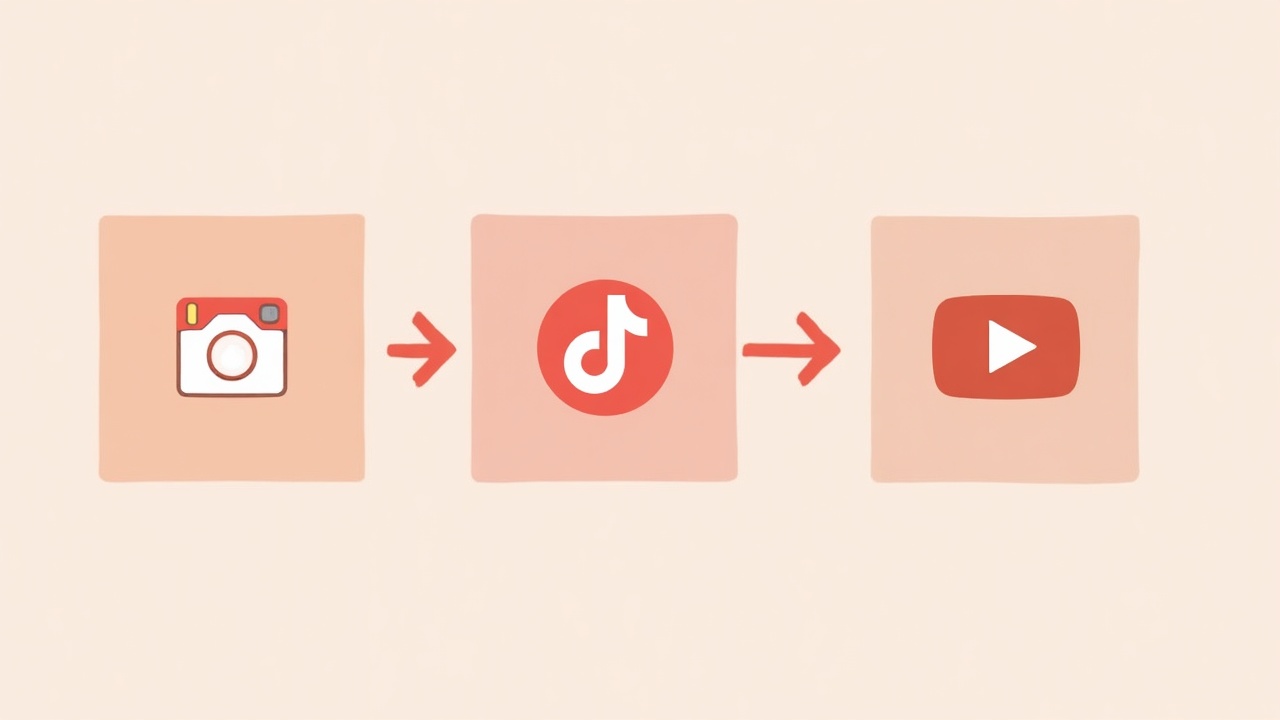
A social media brand kit solves this by narrowing the scope. You are not building a 50-page brand bible. You are creating a simple reference document that takes two hours to build and ensures every post looks like your brand.
Why does brand consistency matter for small product brands specifically?
Brand consistency matters more for small product brands than for large companies because small brands do not have built-in recognition. When someone sees a post from Nike, they recognize it instantly from context. When someone sees a post from your candle brand or skincare line, they need visual cues to recognize you — and those visual cues must be consistent across every piece of content.
The data supports this directly:
- Consistent presentation increases revenue by 33% on average according to Lucidpress brand consistency research.
- It takes 5-7 impressions before a customer remembers a brand — but only if those impressions look consistent.
- Small brands posting inconsistent content see 40% lower engagement because the algorithm treats each post as coming from a new, unestablished account.
💡 PRO TIP: Think of your brand kit as recognition insurance. Every post you create without it is a missed opportunity to build cumulative recognition. Every post you create with it compounds your brand awareness over time.
The 5 Core Components Every Small Brand Kit Needs
Your social media brand kit needs exactly five components. Not twelve. Not twenty. Five. Adding more creates complexity that slows you down. These five cover everything you need for consistent short-form video content across Instagram Reels, TikTok, and YouTube Shorts.
What are the essential elements of a social media brand kit?
The five essential elements are your primary color palette with hex codes, your font selections for headings and body text, logo variations optimized for different placements, visual style rules that define your content aesthetic, and caption voice guidelines that ensure your written content matches your visual identity.
Component 1: Primary Color Palette
Your color palette needs three to five colors maximum. More than that creates decision fatigue and inconsistency. Include hex codes for exact digital matching.
- Primary brand color — your most recognizable color, used in 60% of content.
- Secondary brand color — your supporting color, used in 30% of content.
- Accent color — used sparingly for emphasis and calls to action.
- Neutral color — for text and backgrounds that need to not compete.
Component 2: Font Selections
You need two fonts. A heading font that carries personality and a body font that prioritizes readability. Many small brands use the same font for both, which works if the font is versatile.
What does that mean for your brand?
If your product brand is playful, your heading font can be rounded or handwritten-style. If your brand is premium, your heading font should be clean and sophisticated. The body font should always be highly readable at small sizes on mobile screens.
Component 3: Logo Variations
You need at least three logo variations for social media:
- Primary logo — full version with icon and wordmark.
- Icon only — for profile pictures and small placements.
- Reversed version — white or light version for dark backgrounds in video content.
Component 4: Visual Style Rules
Visual style rules define the aesthetic of your content beyond colors and fonts. This includes photography style, graphic treatment, and video editing approach.
- Photography style — bright and airy, moody and dark, natural with real settings, or studio with clean backgrounds.
- Graphic treatment — minimal with clean lines, maximalist with patterns, illustrative with hand-drawn elements.
- Video editing style — fast cuts, smooth transitions, text overlay approach, music genre.
📊 STAT: Brands with documented visual style rules produce content 47% faster than brands without them according to CoSchedule's 2025 content marketing research. The rules eliminate decision-making during creation.
Component 5: Caption Voice Guidelines
Your brand voice is how you write. It should feel consistent whether you are writing an Instagram caption, a TikTok hook, or a YouTube Shorts description.
Document these specifics:
- Tone descriptors — three to five words that describe how your brand sounds. Examples: friendly, expert, playful, direct, warm.
- Words you use — specific vocabulary that matches your brand. Do you say customers or community? Products or drops?
- Words you avoid — language that does not match your brand or audience.
- Sentence structure — short and punchy or longer and conversational?
Ready to turn your brand kit into automatic daily content?
Create AI-powered videos and auto-post to all your platforms.
SnapReel AI takes your brand colors, fonts, and voice and automatically generates branded Reels that match your kit. Set up once and your brand posts consistently forever.
No credit card required • 2-min setup • 2,000+ small brands already using it
Step-by-Step: Building Your Brand Kit in Under 2 Hours
This process assumes you are starting from scratch or formalizing brand elements you have used inconsistently. If you already have some elements defined, skip to the sections you need.
How do you create a brand kit quickly without a designer?
Create your brand kit in four phases: extract existing brand elements you are already using, fill gaps with free tools like Coolors for colors and Google Fonts for typography, document everything in a single-page reference document, and export all assets into an organized folder. The entire process takes under two hours when you follow this structure.
Phase 1: Extract Existing Elements (30 minutes)
Before creating anything new, identify what you already have. Most small brands have more existing brand elements than they realize — they just have not documented them.
- Check your website for colors, fonts, and logo files currently in use.
- Review your best-performing posts to identify visual elements that worked.
- Look at your product packaging for colors and design elements worth carrying over.
- Read your product descriptions to identify your natural writing voice.
Now you might be wondering:
What if your existing brand elements feel inconsistent? That is fine. The goal of extraction is gathering raw material. You will refine and select in the next phases.
Phase 2: Define Your Core Elements (45 minutes)
With your extracted elements in front of you, make decisions about what becomes your official brand kit.
For colors: Select your primary color first — the one that appears most consistently in your current materials or the one customers would associate with your brand. Then select complementary colors using a tool like Coolors or Adobe Color.
For fonts: Choose readability over personality if you must pick one. Your heading font can be distinctive. Your body font must be clear at every size.
For visual style: Look at your top 10 performing posts. What do they have in common visually? That commonality is your visual style.
⚠️ WARNING: Do not overthink this phase. Brand kits can evolve. Your goal is to document a starting point that creates consistency, not to create perfect brand elements that can never change. Done is better than perfect.
Phase 3: Document Everything (30 minutes)
Create a single document — one page is ideal — that contains every element of your brand kit. This document becomes your reference for all content creation.
Include these sections:
- Color palette with hex codes and usage percentages.
- Font names with download links and usage rules.
- Logo variations with file location references.
- Visual style described in 3-5 bullet points.
- Voice guidelines with tone words and example captions.
Phase 4: Export and Organize (15 minutes)
Create a folder structure that makes your brand kit accessible whenever you create content:
- Brand Kit folder — main folder containing everything.
- Logos subfolder — all logo variations in PNG and SVG.
- Fonts subfolder — downloaded font files.
- Brand Guide PDF — your one-page reference document.
The truth is:
Most brand kits fail not because they are poorly designed but because they are not accessible during content creation. If opening your brand kit requires finding a file on your desktop, you will skip it. Keep it simple and findable.
Tools to Create Your Brand Kit Elements for Free
You do not need paid design software to create a professional brand kit. Free tools cover every requirement for small product brands.
What are the best free tools for creating a social media brand kit?
The best free tools for brand kit creation are Coolors for generating color palettes with hex codes, Google Fonts for free commercial-use typography, Canva free tier for creating logo variations and brand guide documents, and Notion or Google Docs for organizing and storing your brand kit reference materials.
Color Palette Tools
- Coolors — generates palettes and provides hex codes instantly. Extract colors from images of your products.
- Adobe Color — more advanced color theory features, also free.
- Khroma — AI-powered palette generation based on your color preferences.
Typography Tools
- Google Fonts — thousands of free fonts licensed for commercial use.
- Font Pair — suggests font combinations that work well together.
- Typewolf — shows fonts in real-world website examples for inspiration.
Design and Documentation Tools
- Canva Free — create logo variations, brand guide documents, and template examples.
- Notion — organize your brand kit in a shareable workspace.
- Google Docs and Drive — simple documentation and cloud storage.
💡 PRO TIP: Use Canva's brand kit feature even on the free tier. You can save colors and fonts and access them quickly when creating content. This small step eliminates the friction of referencing your brand guide every time you post.
Building a brand kit is step one. Using it daily is where most founders get stuck.
Create AI-powered videos and auto-post to all your platforms.
SnapReel AI applies your brand kit automatically to every Reel it creates. You provide your brand elements once and the system uses them forever.
No credit card required • 2-min setup • 2,000+ small brands already using it
How to Actually Use Your Brand Kit for Daily Content
Creating a brand kit takes two hours. Using it consistently is the harder part. Most brand kits sit unused in folders because the friction of applying them during content creation is too high.
How do you maintain brand consistency when posting daily?
Maintain brand consistency by creating templates pre-loaded with your brand elements, using tools that store your brand kit for quick access, batching content creation to apply brand elements once across multiple posts, or using autonomous tools that apply your brand kit automatically without daily input.
Option 1: Template-Based Workflow
Create 5-10 templates in Canva or CapCut that already include your colors, fonts, and logo. When you create new content, start from a template instead of a blank canvas.
And it gets better.
Templates eliminate 80% of brand kit application decisions. You are not choosing colors or fonts each time — you are just swapping content into pre-built branded frameworks.
Option 2: Tool-Stored Brand Kit
Many design tools let you save brand elements for quick access:
- Canva Brand Kit — stores colors, fonts, and logos in your account.
- CapCut Brand — saves templates with your brand applied.
- Adobe Express — brand management features in the premium tier.
Option 3: Batch Creation
Create a week or month of content in one sitting. When you batch, you only need to set up your brand elements once per session instead of once per post.
Here is the kicker:
Batching works but requires dedicated time blocks that many small brand founders struggle to protect. If you find yourself skipping batch sessions, the consistency benefit disappears.
Option 4: Autonomous Brand Application
The most effective solution for small product brands is removing the manual application requirement entirely. Autonomous tools like SnapReel AI take your brand kit during setup and apply it automatically to every piece of content they generate.
You provide your colors, fonts, voice, and visual style once. The system uses them forever. No templates to start from. No batch sessions to schedule. No daily decisions about brand application.
📊 STAT: Small brands using autonomous content tools with brand kit integration post 7x more consistently than brands using manual workflows according to SnapReel AI's internal user data from 2025.
FAQ
Creating a complete social media brand kit takes under two hours when you follow a structured process. The four phases — extracting existing elements, defining core components, documenting everything, and organizing assets — can be completed in a single focused session without design experience.
A brand kit is a focused collection of elements needed for content creation — colors, fonts, logos, and voice. A brand style guide is a comprehensive document covering all brand touchpoints including packaging, customer service, advertising, and more. Small brands benefit from starting with a brand kit because it is faster to create and immediately usable.
No designer is required for a functional social media brand kit. Free tools like Coolors for colors, Google Fonts for typography, and Canva for documentation provide everything small product brands need. A designer can refine your kit later, but starting with DIY elements is better than having no kit at all.
A social media brand kit should include three to five colors maximum. This typically means one primary brand color, one secondary color, one accent color, and one neutral. More colors create decision fatigue and inconsistency in content creation.
The fastest way to apply your brand kit consistently is using an autonomous tool like SnapReel AI that stores your brand elements during setup and applies them automatically to every piece of content it generates. This eliminates the daily decision-making that causes brand inconsistency.
Yes, brand kits should evolve as your brand grows. The key is updating your documented reference and templates whenever you make changes. Avoid making undocumented changes that create inconsistency between your brand kit and your actual content.
Putting Your Brand Kit to Work
A social media brand kit is only valuable if it gets used. The two hours you spend creating one compounds into recognition, engagement, and revenue only when every post applies those brand elements consistently.
For small product brand founders, the biggest risk is not a poorly designed brand kit. It is a well-designed brand kit that sits unused because daily content creation is too time-consuming to add brand application steps.
The brands that win on social media in 2026 are not necessarily the ones with the best brand kits. They are the ones that actually use their brand kits on every single post — whether through disciplined manual workflows or autonomous tools that handle the application automatically.
Your brand kit is ready. Now let it work for you automatically.
Create AI-powered videos and auto-post to all your platforms.
✓ Upload your brand colors, fonts, and voice during a one-time setup
✓ Receive branded Reels generated automatically without daily input
✓ Post consistently to Instagram, TikTok, and YouTube Shorts on autopilot
Free forever plan • No credit card • 2-min setup